Finding help means leaving the room
A transfer needs two people and the second one is somewhere down the hall. Someone has to step out, call out or go looking.
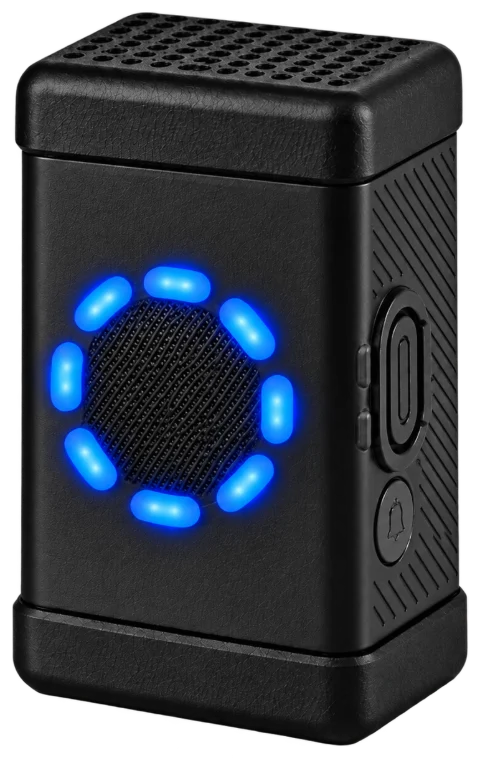
Extero is a hands-free communication device for nurses and care teams: a clip-on wearable with a microphone and a speaker that works on your site Wi-Fi, with no phone. Staff talk push-to-talk, record notes with one press and ask AI by voice.
On a unit or in a nursing home, the person you need is rarely in the same room, and your hands are rarely free.
A transfer needs two people and the second one is somewhere down the hall. Someone has to step out, call out or go looking.
Your nurses and aides have their hands on a patient or a resident. Stopping to take out a phone, wake it and type is not realistic.
Observations and handover notes are written up at the station hours later, from memory, when the shift is nearly over.
One clip-on device on your site Wi-Fi does three jobs for a care team.
One press starts recording, another stops it. Say the observation or the handover note on the spot. It uploads over Wi-Fi, is transcribed, and can go to the software you already use.
Push-to-talk between staff from the same device, on your site Wi-Fi. Messages play from its speaker. Three taps send a help request to your team, and a green flash confirms it was sent.
Press the agent button once, speak, press again. Set a reminder to check back on a room, or a timer for a task. A spoken answer plays from the device.
Device-driven AI: one press routes speech to the record, the team or AI. Staff control when it records.
Push-to-talk between staff, from the same device. Messages play from its speaker.
 VeterinaryNxVET for veterinary clinics, on nx.vet
 DentistryCommunication for the dental office
 PhysiotherapyAn AI scribe for physical therapy
 FacilitiesTwo-way radios for maintenance teams
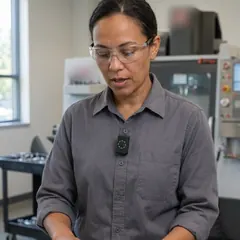 ManufacturingWalkie-talkie for plants and warehouses
 ConstructionWi-Fi walkie-talkies for site offices
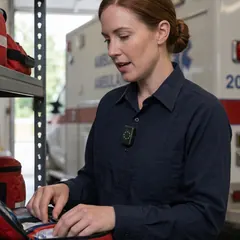 Emergency servicesVoice notes for EMS and fire crews
The main button on the front and the agent button on the side do most of the work. The ring of lights tells you what the device is doing.
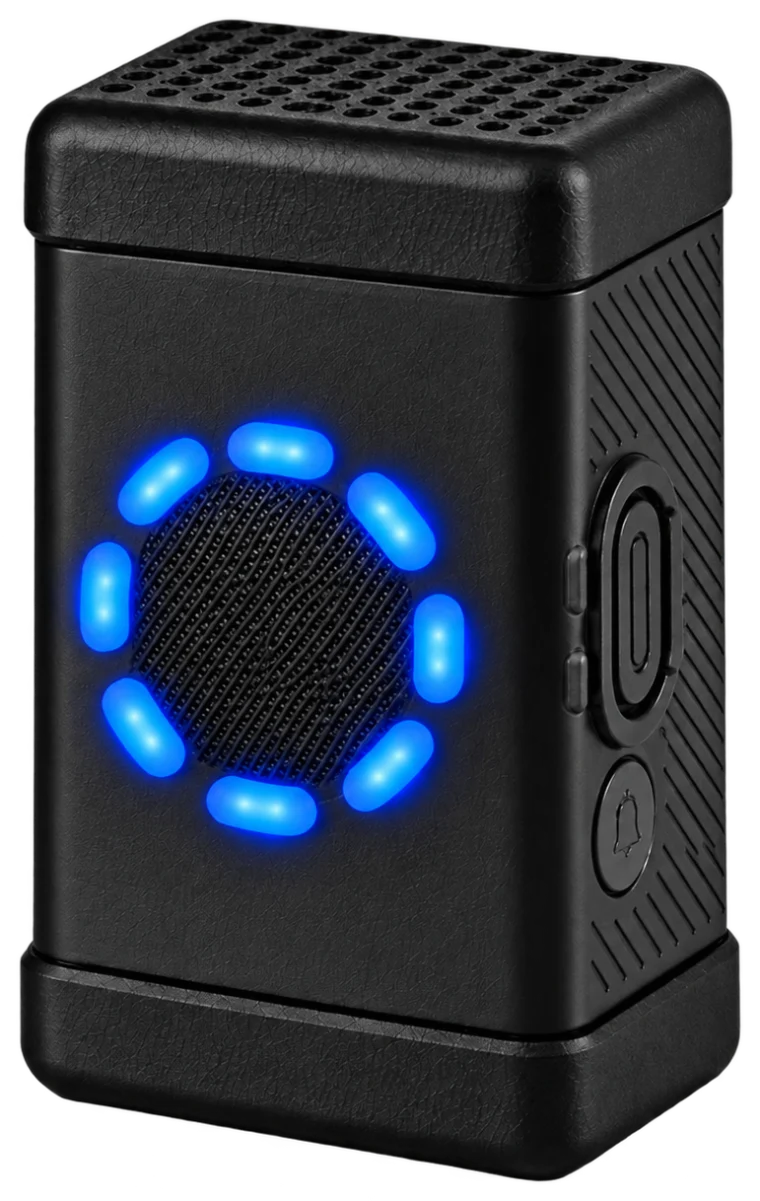
Spoken replies, messages, alert tones and the low-battery warning. A reply from your AI assistant plays by itself, and the ring shows cyan while it plays.
Green ring: recording. Cyan: a reply or message is playing. Blue: Bluetooth pairing mode. Red ring: reconnecting to Wi-Fi. Dark: idle and connected.
Hold about 2 s: turn on. 1 tap: start recording, tap again to stop. 3 taps: send a help request to your team. 4 taps: play a waiting message. Hold 1.5 s: Bluetooth pairing on or off.
Charges the battery; plugging in also turns the device on. The ring glows red slowly while charging and goes dark when the battery is full.
Each press changes the speaker volume one step; the lights show the level in white. Hold both together for 5 seconds to turn the device off.
Press once, speak, press again. A spoken answer plays from the device. Double-press to check the battery.
Standard pricing: The Extero device is $299, or $199 with an Annual plan. Then every device is $19 per month. Individual Intelligence adds $30 per user per month, and Team Intelligence adds $100 per team per month, with the first month free. Billed monthly or yearly. Prices are in USD, before shipping and taxes.
Subscription starts on activation or 180 days after payment, whichever comes first.
Cancelling an annual subscription stops the next renewal. Unused prepaid months are not refunded.
Can't find your answer? Book a quick call with our team.
They are wearable hands-free communication devices for staff. Extero is one: it clips on, has a microphone and a speaker built in, and works as a push-to-talk walkie-talkie on your site Wi-Fi, with no phone.
Extero is a clip-on wearable for hands-on teams, with push-to-talk voice messages between staff on your site Wi-Fi, no phone and no pairing. The device is $299, or $199 with an Annual plan, then $19 per device per month (USD, before shipping and taxes).
No. Extero works on your site Wi-Fi with no phone and no pairing. At setup, you connect each device to your Wi-Fi from the Extero app over Bluetooth.
It works where your site Wi-Fi reaches and not beyond it. That means Extero does not fit areas without Wi-Fi coverage, or home care staff who travel between patients' homes.
Extero records hands-free when your staff press the button, and transcribes what was said. Individual Intelligence adds AI records for $30 per user per month. Your staff decide when it records, and data goes only to the systems you choose.
The device is $299, or $199 with an Annual plan, then $19 per device per month (USD, before shipping and taxes). Individual Intelligence adds $30 per user per month. For volume pricing, book a call.
No. Each person checks in on the device, so you still know who said what. Most teams need one Extero for each person working that day, not one for every employee.
Recordings upload over Wi-Fi and are transcribed. You can then send them to the software you already use with the API, webhooks or the MCP server. Check software compatibility.
Pre-order Extero today, or see it live with our team.